GameQueue
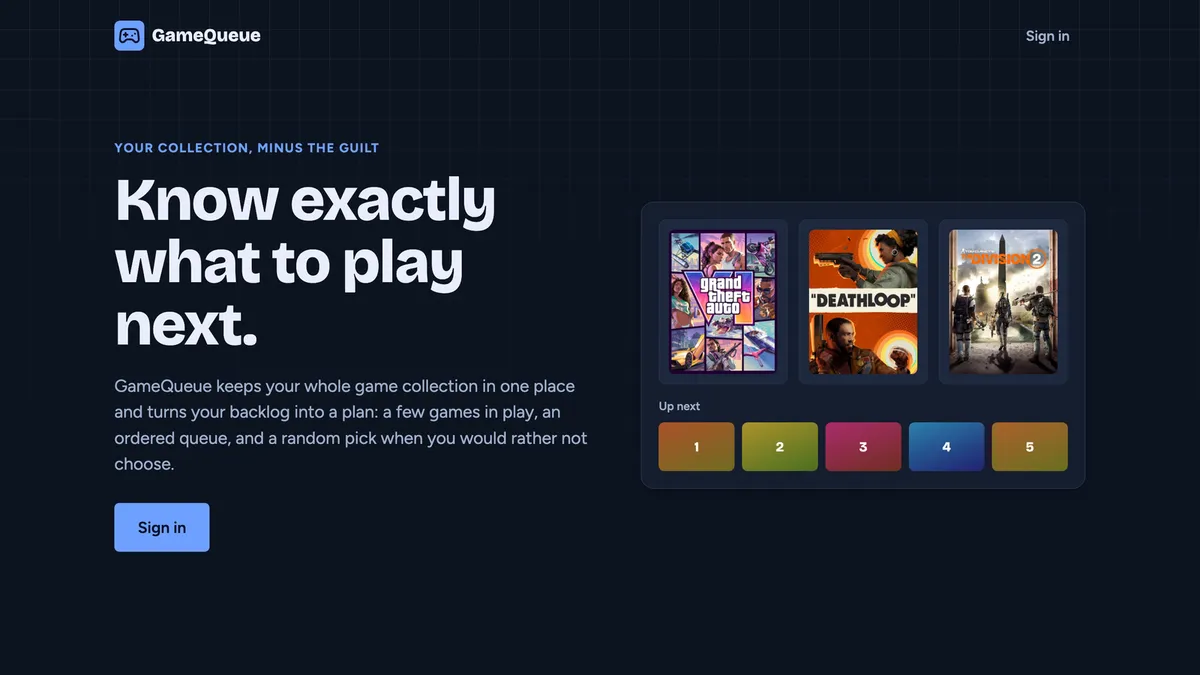
Keep your whole game collection in one place and turn your backlog into a plan: a few games in play, an ordered queue, and a random pick when you would rather not choose.
- TypeScript
- React
- Node.js
Overview
GameQueue keeps your whole game collection in one place and turns a growing backlog into a plan: a few games in play, an ordered queue of what is next, and a random pick for the times you would rather not choose.
To see it in action, take a look at my public GameQueue profile. The source code is on GitHub.
Features
- A single library for every game you own, with status, ratings, and notes per playthrough
- “Slots” for the games you are playing right now
- An ordered “Up next” queue, custom lists, and smart lists that fill themselves from rules you define
- A wishlist that tracks upcoming release dates
- A random pick from your backlog
- Stats, a year-in-review recap, and public profile pages with shareable preview cards
- Export and import of your whole collection
Architecture
GameQueue is a TypeScript monorepo with three packages: a React web app, a Node API server, and a shared package. The shared package holds the request schemas, response types, and the pure logic, such as status rules, the random pick, smart list matching, and stats. Because the server and the browser import the same code, they cannot disagree about the rules.
- Web app: React, Vite, TanStack Query, and React Router
- API server: Hono on Node, with Zod validating every request
- Database: a single SQLite file accessed through Drizzle ORM, with migrations that run at startup
- Share cards: preview images for profiles and lists are rendered on the server with Satori and resvg, with an in-memory cache
In production, one Node process serves both the API and the built web app, and all user data lives in that one SQLite file. That keeps hosting simple and makes backups a matter of copying a file.
Hosting
GameQueue runs in a Docker container on a Raspberry Pi at home. It is exposed to the internet through a Cloudflare Tunnel: a cloudflared container on the Pi makes an outbound connection to Cloudflare, which forwards requests for the domain through it. There is no port forwarding, no public IP address to manage, and the home network address stays hidden. HTTPS is handled at Cloudflare’s edge, so the Pi needs no certificates of its own.
Deploys are automated. Pushing to main runs formatting, type checks, and tests in GitHub Actions, then builds an arm64 image and publishes it to GitHub’s container registry. A cron job on the Pi notices the new image, backs up the database, and restarts the app, rolling back if the update fails. The Pi only ever makes outbound connections.
A local mirror of IGDB
Game data, such as names, covers, release dates, platforms, and ratings, comes from IGDB. Calling the IGDB API for everything works at first, but every user shares one rate limit, and the expensive operations, such as searching and adding a never-seen game, grow with the number of users.
Instead, GameQueue downloads a mirror of the IGDB data. A job runs once a day and downloads IGDB’s data dumps. It streams each CSV straight into a separate SQLite database, verifies the result, and swaps it into place atomically. The mirror holds about 380,000 games in roughly 250 MB, and a full rebuild takes under a minute on a laptop and about two and a half minutes on the Pi’s SD card.
The app answers searches, game pages, series, similar games, and release dates from this local copy, with no calls to IGDB at all:
- Search uses SQLite’s FTS5 full-text index over names and alternative names, so abbreviations like “ff7” and “bg3” work. Results are ranked by how many people have rated a game, scaled by how well the name matches.
- Live IGDB is the fallback for anything the mirror is missing, such as a game newer than the last dump or a misspelled search.
- Games already in your library are refreshed from the mirror whenever a new dump arrives, so ratings and release dates stay current without extra API calls.
I chose SQLite for the mirror over Postgres on purpose. It is written once a day by one process and read by one server, and a second always-running database service would be a lot to ask of a Pi.
Under the hood
- Authentication: passwords are hashed with Argon2, sessions use cookies, and requests are protected by CSRF checks and rate limiting.
- Rate limiting IGDB: all live IGDB access goes through one limiter that caps requests per second and in-flight requests, so one busy user cannot exhaust the budget.
- Backups: the live SQLite file is snapshotted nightly and before every update.